
Emoji Reply Messages
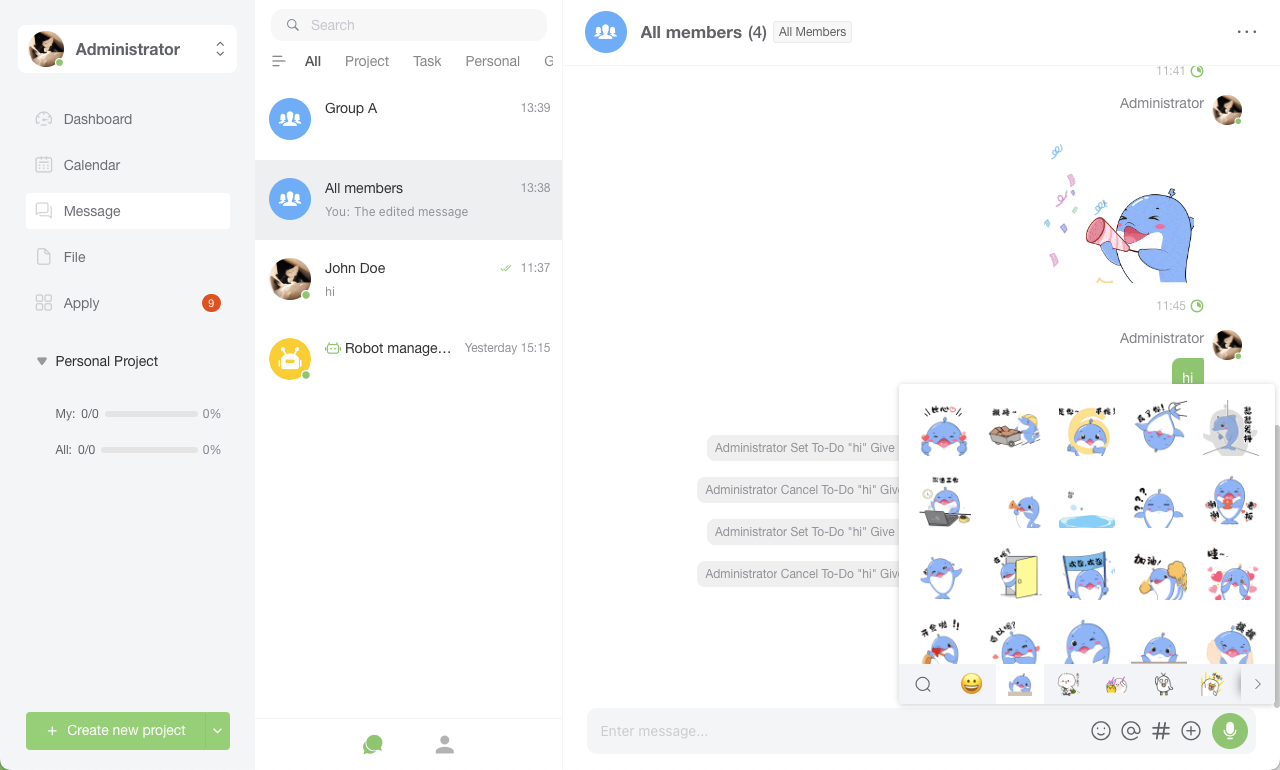
Emoji replies allow users to quickly respond to specific messages using emoji. This feature provides users with a concise and expressive way to convey emotions and feedback while reducing the need for text input.
Overview of Emoji Reply Feature
Users can reply to messages by selecting emoji. Emoji reactions typically appear below the message, making conversations more interactive and engaging.
How to Use
Desktop Operations
Select a Message
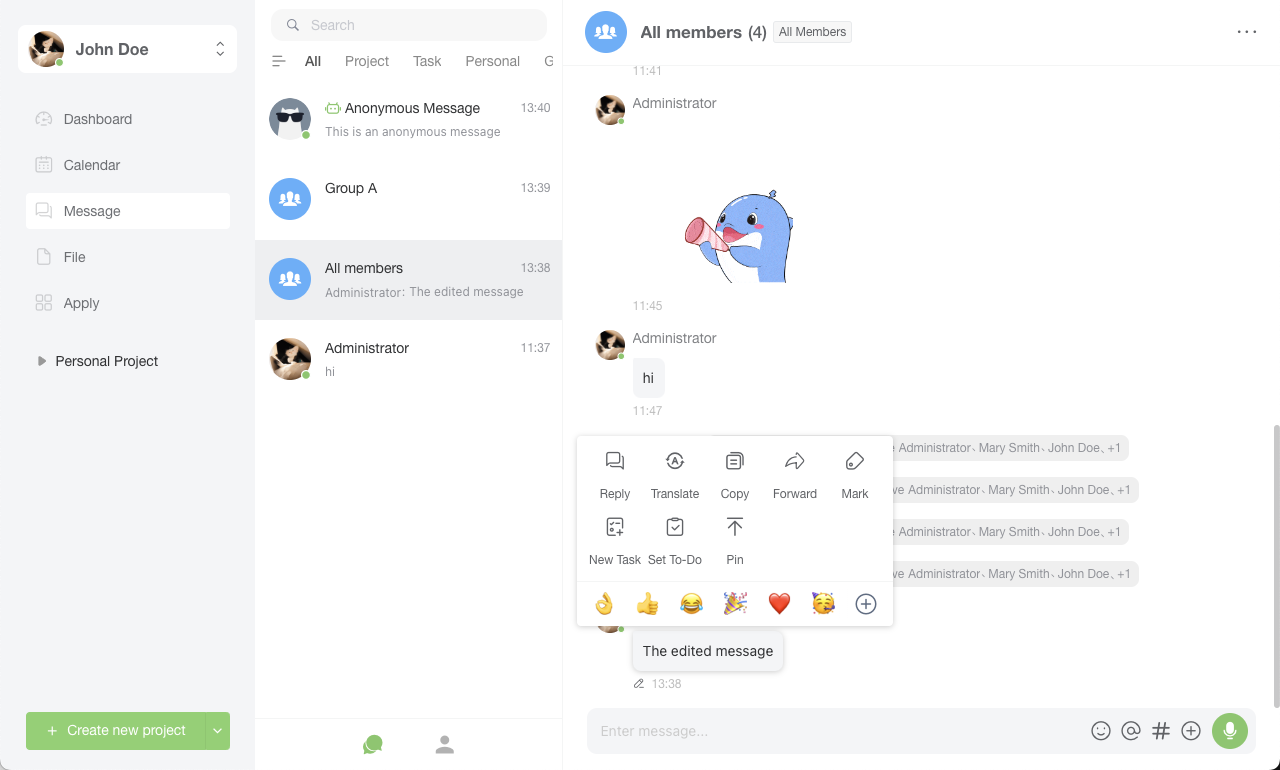
- Right-click on the message you want to react to in the chat window.
Open Emoji Menu
- Click the "Emoji" icon or "More Options" menu that appears next to the message.
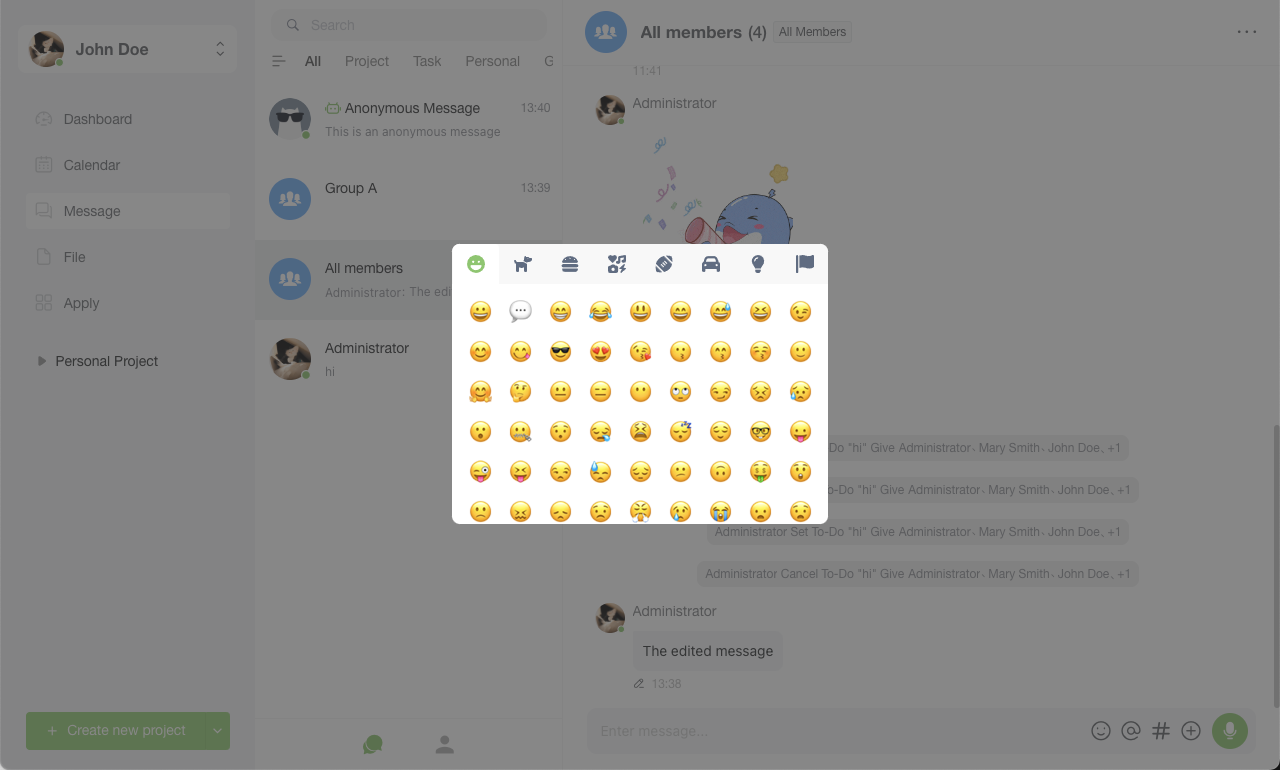
- The emoji selection interface will pop up.
Choose an Emoji
- Select an appropriate emoji from the menu.
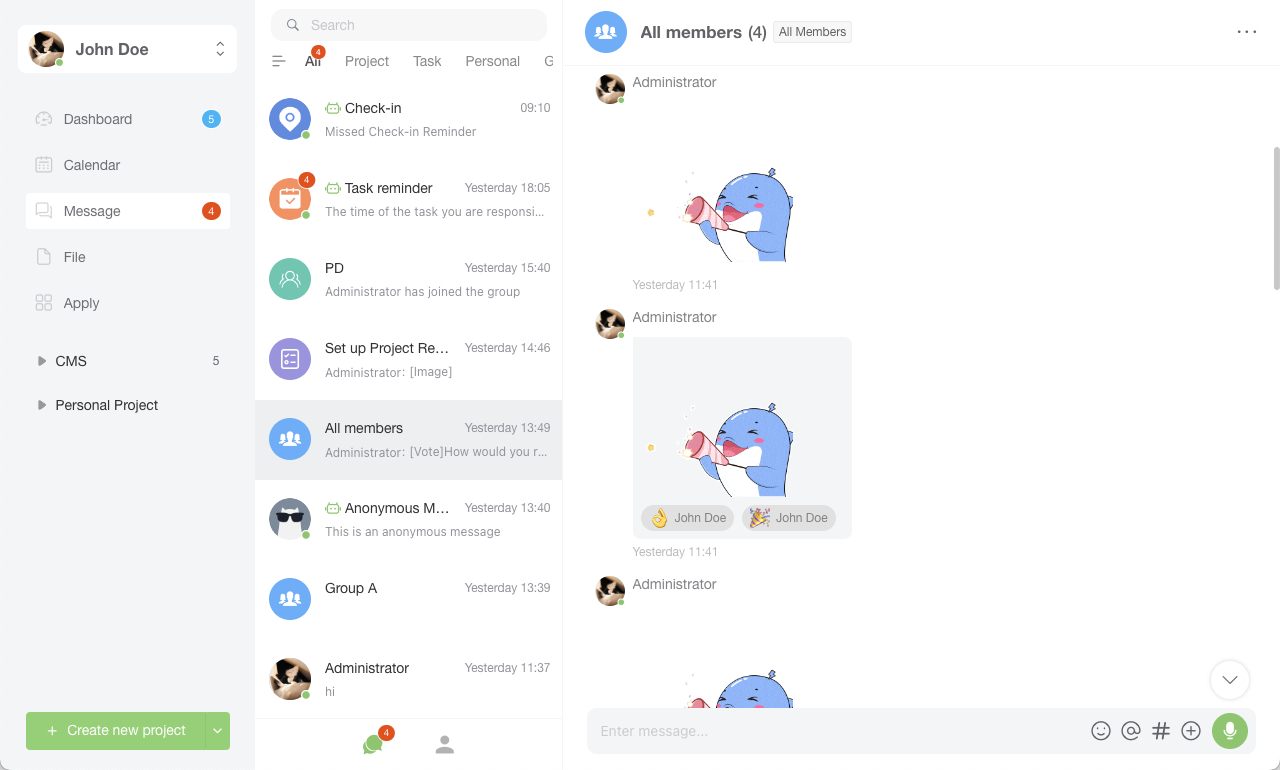
- The selected emoji will immediately appear below or beside the message.
Mobile phone operation
Select a Message
- Long press the message you want to react to in the chat window.
Open Emoji Menu
- After the operation options appear, tap the "Emoji" or "React" icon.
- The emoji selection interface will expand.
Choose an Emoji
- Select an emoji from the menu.
- The emoji will appear below or beside the selected message.
Features
- Multiple Emoji Options: Offers a variety of expression to choose from, allowing users to select appropriate expression based on emotions and context.
- Real-time Updates: Emoji reactions appear instantly next to messages and are immediately visible to all conversation participants.
- Expression Statistics: Some applications may provide statistics showing the number of different emoji reactions received per message.
Use Cases
- Quick Feedback: Users can quickly express their response to messages through emoji, such as agreement, approval, surprise, etc.
- Emotional Expression: Emoji can convey multiple layers of emotion, enriching emotional communication in conversations.
- Reduced Typing: Users can participate in conversations using emoji reactions when typing text is inconvenient.
The above is a detailed explanation of the emoji reply feature in instant messaging applications. This feature aims to provide users with a more flexible and expressive way of communication. These features can be further optimized and expanded based on user feedback and requirements.